Read EPUB books on Mac or Windows
Someone sent you an .epub, or you downloaded one from a public-domain library. Omia opens it in a clean reading view on Mac or Windows — no account, no library to import into, no upload.
Free to view · 5 free saves, conversions & pro-format opens · then $19.90 one-time · no subscription · files never leave your computer
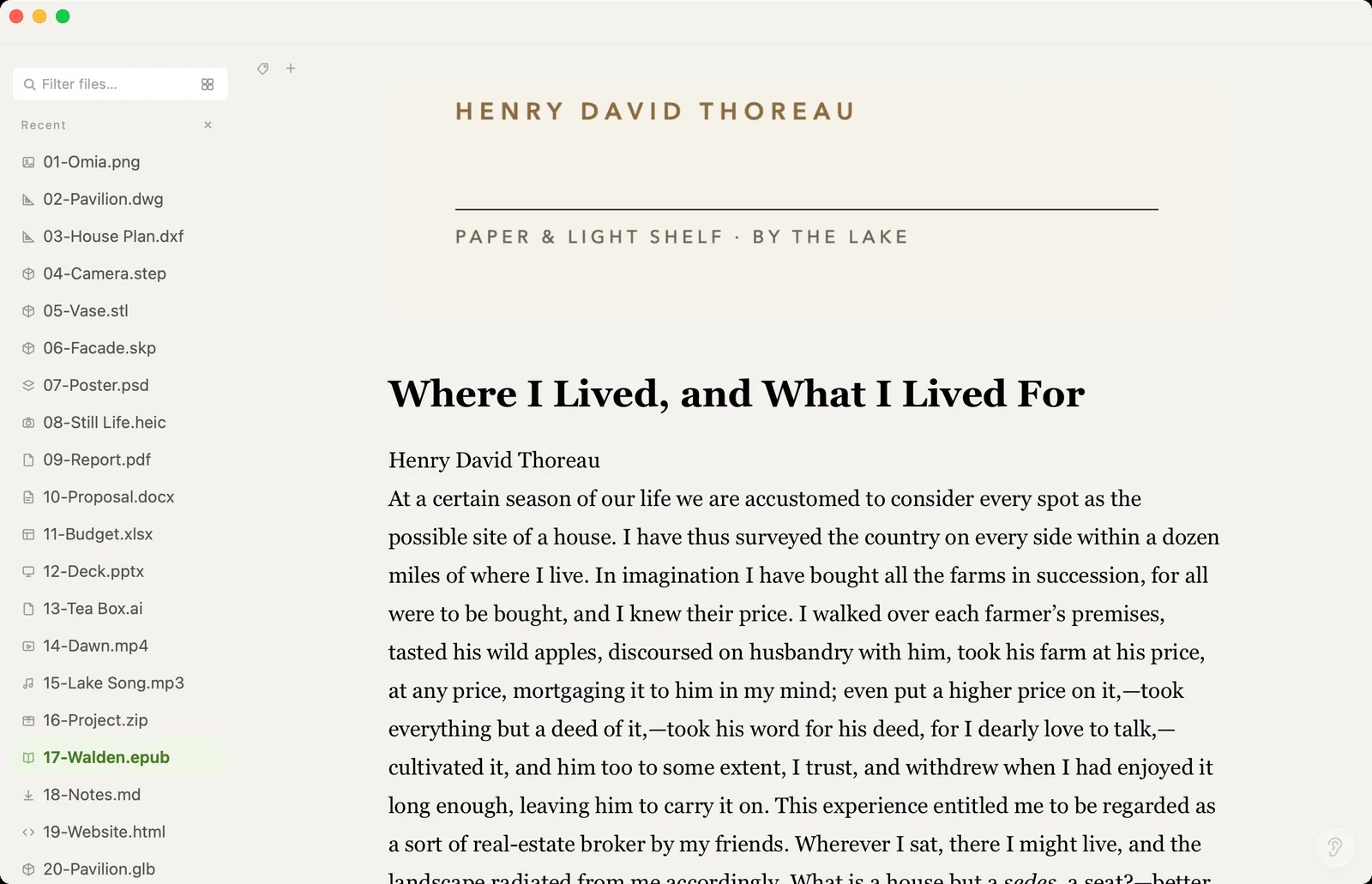
What you can do
- Open .epub e-books in a clean reading layout
- Quiet layout: just the text, tools appear only when your mouse comes near
- Works fully offline — no account and no upload
- Works on Mac (Apple Silicon and Intel) and Windows 10/11
- The same app opens your PDFs, Word files, Markdown notes and 150+ other formats
What it doesn't do
We'd rather you know before downloading.
- Read-only: no highlights or notes
- No Kindle formats (MOBI, AZW) — only .epub
- Can't convert EPUB to PDF or other formats
- No library or shelf: it opens one book at a time, like any document
How to open EPUB files
- Download Omia and install it (Mac or Windows)
- Double-click the .epub, or drag it onto the Omia window
- Scroll to read
Why a local viewer
Full e-book apps want you to import the book into their library, and some sync it to their cloud. If you just want to read a file someone sent you, Omia opens it like any other document, on your own computer.
FAQ
How do I open an EPUB file on Windows or Mac?
Install Omia and double-click the .epub. It opens straight into a reading view.
Can I highlight or take notes?
No. Omia is a reader for EPUB, not a full e-book manager.
Does it open Kindle books?
No. Omia opens .epub files; MOBI and AZW aren't supported.
Is it free?
Viewing files is free forever, with no sign-up. Saving edits, converting, and opening pro formats (DWG, STEP, SketchUp, CorelDRAW) each come with 5 free uses; after that it's a one-time $19.90 licence, no subscription.
Are my files uploaded?
No. Omia opens and converts files on your own computer. Nothing is sent to a server or an AI service.
Omia also opens: PDF · Word · Markdown · 150+ formats in one app