Open Excel files without Excel
Someone sent a spreadsheet and you don't have Excel — or don't want to wait for it to start. Omia opens .xlsx and .xls files on Mac or Windows, lets you fix a cell, and converts to CSV, JSON or PDF, all on your own computer.
Free to view · 5 free saves, conversions & pro-format opens · then $19.90 one-time · no subscription · files never leave your computer
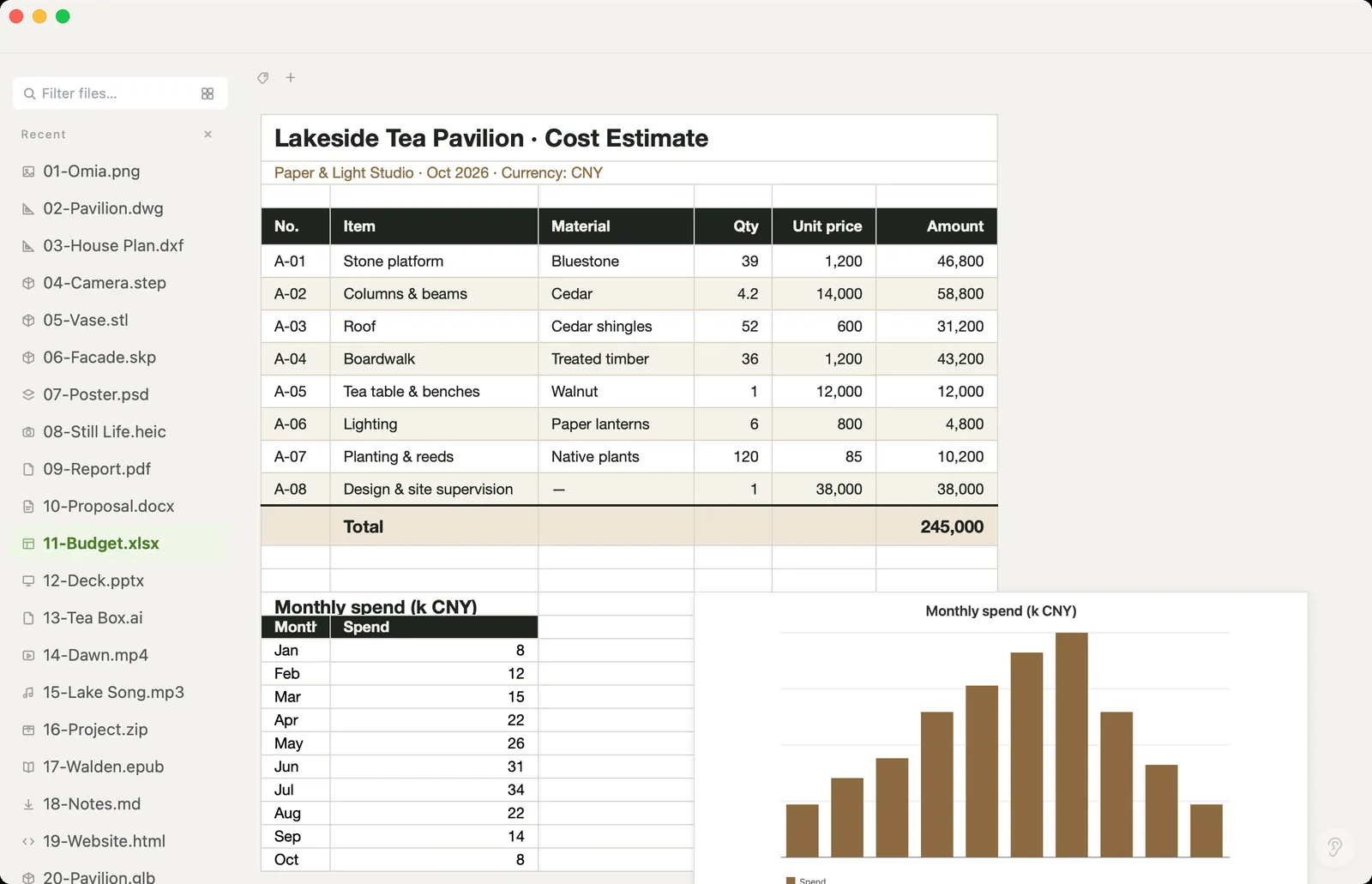
What you can do
- Open .xlsx, .xls and .xlsm workbooks
- Edit cells in .xlsx files and save
- Save As a new file: CSV, JSON or PDF — the original is kept
- Works offline — spreadsheets are never uploaded
- Works on Mac (Apple Silicon and Intel) and Windows 10/11
What it doesn't do
We'd rather you know before downloading.
- Cell editing works on .xlsx only; .xls and .xlsm open read-only
- Macros don't run
- No pivot tables, chart editing or formatting tools — it isn't a spreadsheet app
- For real spreadsheet work you still want Excel, Numbers or Google Sheets
How to open Excel files
- Download Omia and install it (Mac or Windows)
- Double-click the .xlsx, or drag it onto the Omia window
- Click a cell to edit it, or use Save As to export CSV, JSON or PDF
Why a local viewer
Budgets, payroll and client data are exactly what you shouldn't paste into an online converter. Omia reads and converts the workbook locally.
FAQ
How can I open an Excel file without Excel?
Install Omia (Mac or Windows) and double-click the .xlsx or .xls. The sheets open read-ready; .xlsx cells can be edited.
Can I convert Excel to CSV?
Yes. Save As → CSV. JSON and PDF are also available.
Do macros work?
No. Omia doesn't run macros.
Is it free?
Viewing files is free forever, with no sign-up. Saving edits, converting, and opening pro formats (DWG, STEP, SketchUp, CorelDRAW) each come with 5 free uses; after that it's a one-time $19.90 licence, no subscription.
Are my files uploaded?
No. Omia opens and converts files on your own computer. Nothing is sent to a server or an AI service.
Omia also opens: CSV · JSON · Word · PDF · 150+ formats in one app