Open CSV files without Excel changing them
Excel loves to “help” with CSVs — dropping leading zeros, turning IDs into dates. Omia opens .csv and .tsv on Mac or Windows exactly as they are, and converts to a real Excel file, JSON or an HTML table when you need it.
Free to view · 5 free saves, conversions & pro-format opens · then $19.90 one-time · no subscription · files never leave your computer
What you can do
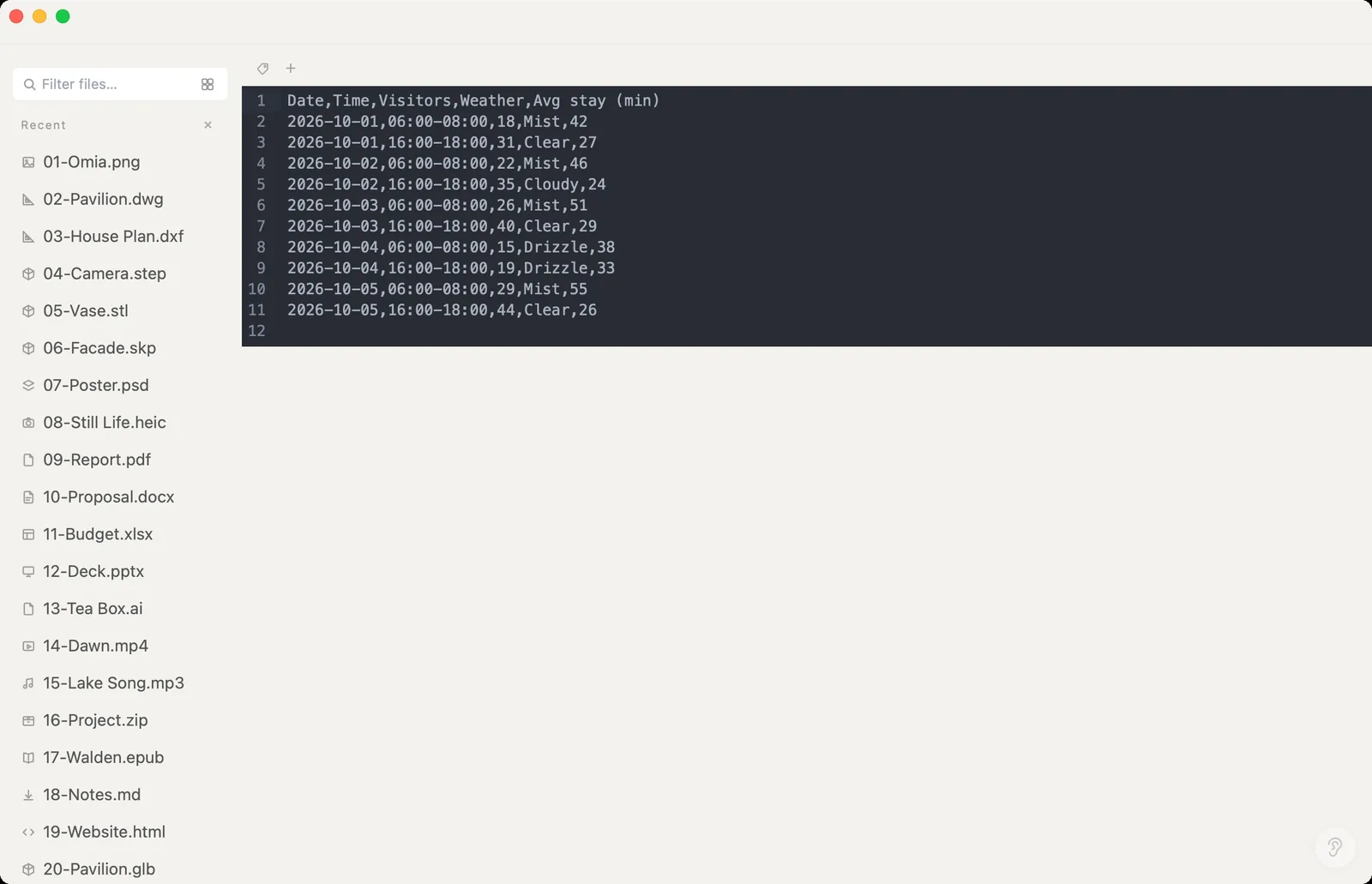
- Open .csv and .tsv exactly as written, with line numbers
- Edit and save back
- Save As: Excel (.xlsx), JSON or an HTML table
- Works offline — data is never uploaded
- Works on Mac (Apple Silicon and Intel) and Windows 10/11
What it doesn't do
We'd rather you know before downloading.
- CSV opens as text, not as a spreadsheet grid — convert to .xlsx when you want a grid
- No sorting, filtering or formulas
- Very wide files are easier to read after converting to Excel
How to open CSV files
- Download Omia and install it (Mac or Windows)
- Double-click the .csv, or drag it onto the Omia window
- Edit and Save, or Save As Excel, JSON or HTML
Why a local viewer
CSV exports are often customer lists or transactions. Omia lets you check and convert them without opening a spreadsheet that rewrites your data, and without uploading them.
FAQ
Can I convert CSV to Excel?
Yes. Save As → Excel (.xlsx). JSON and HTML table are also available.
Will it change my data, like leading zeros?
No. Omia shows and saves the CSV as plain text.
Is it free?
Viewing files is free forever, with no sign-up. Saving edits, converting, and opening pro formats (DWG, STEP, SketchUp, CorelDRAW) each come with 5 free uses; after that it's a one-time $19.90 licence, no subscription.
Are my files uploaded?
No. Omia opens and converts files on your own computer. Nothing is sent to a server or an AI service.
Omia also opens: Excel · JSON · Markdown · 150+ formats in one app